[ changelog ]
What's new
Every release of Selah, newest first, from the notes on GitHub.
Installs no longer fall over when a server has a bad moment.
Fixed
selah install scenescrashed on a single slow answer from Project Gutenberg. It printed a dump of the program's source code instead of a message.- Doré's engravings now come from a copy on selah.hallelx2.com: all 100 in a few seconds.
- Project Gutenberg is the fallback for any plate the copy can't give.
- Every plate is still checked against its pinned SHA-256, wherever it came from.
- Every download retries a failure that can pass. That covers the translations, Matthew Henry, the Hebrew and Greek, and the engravings.
- It retries timeouts, busy servers and dropped connections, after 2s, then 6s, then 15s.
- A slow but steady download is never cut off.
- When an install does fail, Selah says so in a plain sentence, with how to try again. Files that finished downloading are kept.
selah installwith a name it doesn't know now lists everything it can install, translations and study packs alike. It used to list only the translations.
Install or update
curl -fsSL https://selah.hallelx2.com/install | sh
irm https://selah.hallelx2.com/install.ps1 | iex
Selah 0.3.1 runs on Windows, and is easier for someone who has read nothing.
Windows
In PowerShell:
irm https://raw.githubusercontent.com/hallelx2/selah/main/install.ps1 | iex
The installer picks the x64 or ARM64 build, verifies it against SHA256SUMS, and adds Selah to your PATH. Windows Terminal shows Selah best.
Easier to find your way
- Typing a passage in the reader works. "romans 8" lands on Romans 8, even though the letters are shortcuts there.
- The command palette (
ctrl+p) understands everyday words. For example: help, settings, dark, pictures, claude, dictionary, bigger text, quit. - Help explains every key in plain words, including the study tools. Its text wraps instead of being cut off, at any width.
- The first time you open the reader, a card shows the eight keys that matter.
- On the home screen,
?opens help, the footer says how to quit, and "resume luke 21" goes to Luke 21. - In the Notes tab, you can just type.
- The header tells you what's left before a chapter counts as read.
Fixed
- After a dialog closed, the home screen stopped taking keys.
Install or update
curl -fsSL https://raw.githubusercontent.com/hallelx2/selah/main/install.sh | sh
Selah 0.3.0 turns the reader into a study desk.
Study desk
Press tab to open a pane beside the text. It follows the verse you are on.
- Notes: a note on the verse and a journal for the chapter, both autosaved. They render as Markdown when you are not editing them.
- Commentary: Matthew Henry's Complete Commentary, opened at the verse (
selah install commentary, 14 MB). - Words: the Hebrew or Greek behind the verse, word by word, with transliteration, a gloss, the Strong's number and the grammar in plain English. Press
enteron a word for its lexicon entry and every verse that uses it, counted by book (selah install concordance, from STEPBible). - Ask: questions about the passage, answered by your own Claude Code or Codex using Selah's tools: passages, search, Henry, the original words and your notes. Selah holds no keys.
[ and ] resize the pane. - and = change the reading width.
Doré's engravings
Gustave Doré's 100 Bible engravings, each mapped to its passage (selah install scenes, 17 MB). When a chapter has one, the header shows ✦, and i opens it full screen. The engraving surfaces like ink, then drifts slowly. Selah uses kitty graphics or sixel where the terminal offers them, and half-blocks elsewhere.
Also new
- Search by Strong's number: type
G26orH2617in search. - The sidebar from the keyboard:
ctrl+b, thenj/kandenter. - Selah's tools in your own agent:
selah mcpserves them to Claude Code, Codex or any MCP client. - Edge to edge: the terminal's padding takes the theme background, so Selah fills the window.
Install
curl -fsSL https://raw.githubusercontent.com/hallelx2/selah/main/install.sh | sh
Every binary is listed in SHA256SUMS, and the installer verifies it.
Matthew Henry's Commentary comes from lyteword/mhenry-complete (CC0). The Hebrew and Greek words and lexicons come from STEPBible.org, Tyndale House, Cambridge (CC BY 4.0). Doré's engravings come from Project Gutenberg #8710 (public domain).
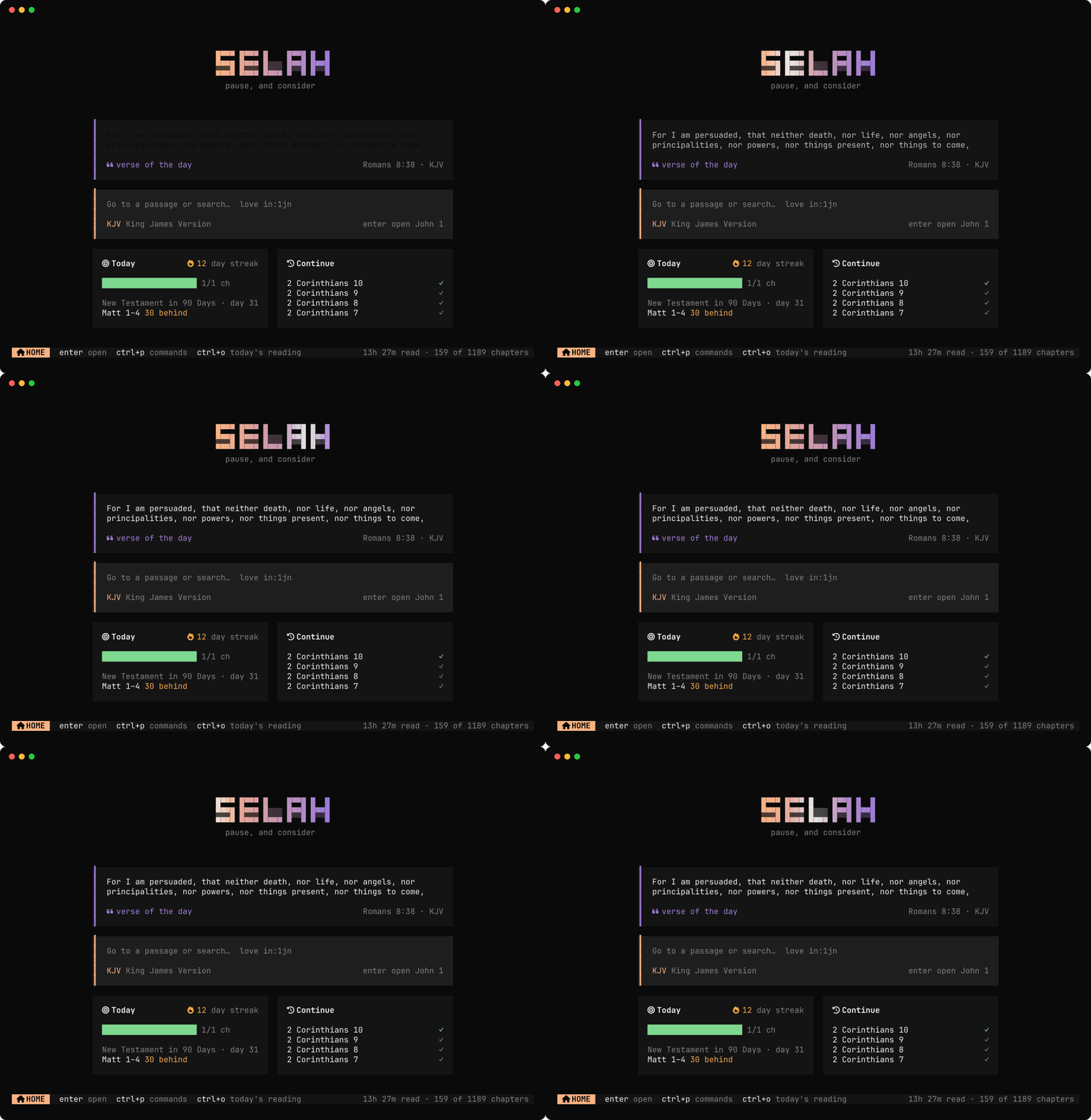
Motion built around light, Nerd Font icons, and typography that reads like a printed Bible.
curl -fsSL https://raw.githubusercontent.com/hallelx2/selah/main/install.sh | sh
New
- Focus mode (
z): everything but the verse you're on fades into the page. - Prose layout (
w): verses flow as paragraphs with superscript numbers. Poetry books (Job through Song of Solomon, and Lamentations) stay one verse per line. - Drop caps: chapters open with a large chapter number, as in a printed Bible.
- Reading meter: a hairline under the header fills with real reading time. When the chapter counts, a beam of light runs along it.
- Streak milestones: 3, 7, 14, 30, 50, 100, 200 and 365 days bloom in rings of light, once each.
- Motion: the logo's beam of light, the verse of the day and each chapter surfacing onto the page, counting-up stats, the heatmap drawn column by column, and dialogs and toasts that rise and slide.
- Nerd Font icons: used when your font has them. The first launch asks once (
icons:nerd,unicodeornone). - Reduced motion:
motion: "reduced",SELAH_REDUCED_MOTION=1orNO_COLORturns every animation off.
Nothing animates while idle. Measured in a terminal, the process uses 2.4% of one core over a full 7-second beam cycle.
Fixed
- After switching layout, the view could stay at the top of the chapter instead of keeping your verse in view.
- Logo shadows were dark patches in light themes with a transparent background.
Binaries
Same six targets as v0.1.0, verified by SHA256SUMS. Only selah-linux-x64 has been run; the others are cross-compiled with their native library embedded but untested.
The first release of Selah, a Bible for the terminal.
curl -fsSL https://raw.githubusercontent.com/hallelx2/selah/main/install.sh | sh
Highlights
- Reader: vim-style navigation, KJV italics, highlights, bookmarks, notes, copying verses, parallel translations.
- Navigation: a command palette that understands references, and full-text search with phrase and book filters.
- Reading tracker: only counts chapters you actually read. It shows streaks, a daily goal, consistency over 7, 30 and 365 days, a yearly heatmap, weekday rhythm, and per-book progress.
- Reading plans: five plans, with ahead/behind status and a projected finish date.
- Themes: opencode's 33 themes with live preview, plus your terminal's own palette.
- Translations: KJV, BSB, ASV, YLT and NHEB, all public domain. They download once, then work offline.
- Status bars:
selah stats --jsonfor waybar.
Binaries
| File | System |
|---|---|
selah-linux-x64 | Linux, x86-64, glibc |
selah-linux-arm64 | Linux, ARM64, glibc |
selah-linux-x64-musl | Linux, x86-64, musl (Alpine) |
selah-linux-arm64-musl | Linux, ARM64, musl |
selah-darwin-arm64 | macOS, Apple silicon |
selah-darwin-x64 | macOS, Intel |
SHA256SUMS lists the checksums; the installer verifies them.
Only selah-linux-x64 has been run so far. The other five are cross-compiled with their native library embedded but untested; please open an issue if one fails to start.